
The shaver still works. The replacement-head listings are the problem: familiar brand names, similar photographs, and a string of codes that do not quite match the tool on your counter.
Start with the shaver you own, identify its exact model or type, and use the manufacturer’s parts information to establish the replacement reference before comparing sellers. Save that reference with the source that confirms it. A photograph of a similar head is a useful clue, but it cannot settle compatibility.
For Black men who have built a grooming routine around a particular tool, an avoidable parts mistake can disrupt an otherwise familiar setup. The answer is a small ownership record you can reuse. This guide helps you build it without turning a replacement purchase into another shaver comparison, product ranking, or promise about razor bumps.
If you are still choosing the underlying system, use our safety razor versus foil shaver comparison first. Here, the job is narrower: connect an existing device to a supported replacement part.
Gather the device information before opening a shopping tab
Put the shaver, its packaging if available, and any saved manual or purchase record in one place. Keep the device switched off and follow its instructions for handling. You are collecting identifying information, not testing a head, opening the housing, or attempting a repair.
Begin a note with the brand and every identifier you can read. Copy letters, numbers, spaces, hyphens, and suffixes accurately. Keep the wording beside a code as well: a number labelled as a model tells you something different from a number printed beside an electrical specification.
Do not decide too early which characters matter. If a label has several lines, record them separately rather than combining them into one long search term. A clear photograph lets you revisit an uncertain character without repeatedly handling the tool. Keep that photo with your private ownership records.
Record what is visible, and mark what is uncertain
A partly worn code is not a complete identifier. If you cannot distinguish a letter from a number, write down the uncertainty rather than choosing whichever version produces a promising listing. Search results can make a guess look convincing because they are designed to return something relevant.
Compare your transcription with the original a second time. Read from the end towards the beginning to interrupt the habit of seeing the code you expect. If another household member owns a similar device, keep the two tools and their records separate while you work. A correct code copied from the wrong handle still leads to the wrong purchase.
You do not need a studio photograph. You need a readable reference that shows which device the label belongs to. Avoid sharing an entire receipt, account screen, address, or payment information when a manufacturer only needs a model code. Keep purchase details private unless the support process actually requests them.

Separate the device identity from the replacement identity
Your record has two sides. One describes the appliance you own. The other describes the part you intend to buy. The lookup process connects them; it should not begin by assuming they are the same code.
A broad product-family name is useful for navigation. An exact model or type identifier narrows the device. A replacement reference identifies an offered component or assembly. Treat those as separate fields even when a product page displays all of them together.
That separation prevents a common circular search: you copy a code from an attractive replacement listing, search it, see more listings for the same part, and feel increasingly certain it fits. Those results establish that the part exists. They have not yet connected it to your shaver.
| Information | What to record | What it does not settle alone |
|---|---|---|
| Brand and family | The name printed on your tool or packaging | The exact replacement assembly |
| Device model or type | The complete identifier and its label | Which components a seller includes |
| Replacement reference | The code stated in official parts information | Whether a different listing supplies that exact part |
| Source | The official page or manual connecting device and part | Today’s stock, price, or delivery date |
| Seller offer | The selected item, contents, and stated reference | Compatibility when the device match is missing |
Leave a field blank when you do not know it. A blank identifies the next question. A guessed entry hides the question and makes every later comparison less reliable.
Use the manufacturer’s route for the brand you own
The strongest starting point is the brand’s support or parts service for your market. Enter through the official site and follow its current navigation. Search engines can help you locate it, but distinguish an official support result from an advertisement, marketplace offer, or enthusiast discussion.
Read the page after opening it. A search-result title may show a familiar model while the destination discusses another device, an older listing, or a broad category. Keep the actual page URL in your record so you can explain where the match came from.
Philips: begin with the exact model
Philips’ identification guidance directs owners to the model on the handle, packaging, or manual and warns against relying on the series alone. Its US parts and accessories page provides a model or name search route.
Use those routes with your own identifier. Do not turn a broad family example into a recommendation for your device. If the handle and the purchase record appear to disagree, keep both entries and ask support to reconcile them before ordering.
Braun: use the model or type route
The Braun US Help Center directs manual searches by category or model/type number to its service site. The US service portal also exposes a type-number identification route.
Follow the instructions presented for your product. This guide does not assign every Braun device a universal label location or tell you to remove parts to uncover a code. If finding the identifier would require a step you do not understand, ask the manufacturer how to identify the device safely.

Keep regional information in its proper role
A support page from another country can help you understand terminology, but it should not silently become proof that a local seller’s item fits. Keep the market and page address visible in your notes. If a regional page gives a different reference, treat that as a question to resolve.
Do not remove a suffix or substitute a nearby model simply because the local search returns no result. Try the site’s own identification help, then contact support with the complete code. A missing result tells you the route did not establish compatibility; it does not establish that another part is interchangeable.
The same restraint applies when you bought the shaver while travelling or received it as a gift. Say where it was purchased if support asks. Your current location and the device’s original market may be different, and the support team needs accurate context rather than a shortened code chosen to fit a search box.
Check the assembly, not just the word “head”
Once you have a candidate replacement reference, read what the offered item actually contains. A product photograph can show an entire shaving unit even when the selected option supplies only one component. A broad title may also be less precise than the specification section.
Look for the manufacturer’s own component wording. Does the reference describe a foil, a cutter, a foil-and-cutter set, or another assembly? Copy the wording into your note. Do not assume that every brand packages its cutting parts in the same way.
Then compare the selected seller option against that description. If one offer includes multiple pieces and another includes a single piece, they are not yet equivalent purchases. Establish the contents before using price to decide between them.
A concrete example of reading the source
The official Andis ProFoil Plus II Chrome Foil & Cutter page identifies item 563814 as a foil-and-cutter set and lists model TS-3 compatibility. Those are two useful facts to record separately: what is supplied, and which model the listing names.
This is an example of reading one manufacturer’s specification, not a recommendation for any other ProFoil model. If your own tool has a different identifier, the example has not established a match. Continue with the source for your exact device.
Also keep appearance separate from the recorded reference. A chrome finish, familiar silhouette, or similar storage case may help you recognize a family of products, but it does not replace the model-to-part statement. The purpose of the record is to make your decision explainable without pointing at two photographs and saying they look alike.
Build a compatibility record you can use again
A useful record fits in a notebook page or a single phone note. It should answer three questions when you return to it later: which device is this, what replacement was verified, and where did that verification come from?
Give each shaver its own record. Use a heading you recognize, such as “bathroom foil shaver,” alongside the actual brand and identifier. A household nickname helps you find the note; it should never replace the manufacturer’s code in the buying decision.
The table below is a blank worksheet. Fill it from your device and the relevant official source. It deliberately supplies no invented model-to-part pairing.
| Field | Your entry |
|---|---|
| Device brand and family | Copy from your device or its records |
| Exact model/type identifier | Include the wording beside the code |
| Identifier photo | Save a private photo reference |
| Official lookup or manual URL | Save the page that supports the match |
| Verified replacement reference | Copy the complete reference |
| Included components | Use the source’s component description |
| Verification date | Record when you checked |
| Open questions | List anything support must resolve |
Write down the connection, not just the destination
Saving a shop link alone makes the record fragile. If that offer disappears, you are back at the beginning. Save the replacement reference and the official compatibility source as well as the shop you ultimately choose.
A useful note says that the official listing names your exact model, then records the replacement reference and included components. A weak note says “this one looked right.” The first can be checked by someone helping you; the second depends on remembering a shopping session.
If support confirms the match, retain the reply or case reference with the note. Summarize what was confirmed without extending it. Confirmation for a particular model and part is not permission to apply the same conclusion to every device bearing a similar family name.
Keep unresolved information visibly unresolved
Suppose the device label is readable but the official parts page lists several assemblies. Your record is partly complete: device identity confirmed, replacement choice unresolved. That is a useful result because it tells support exactly where you need help.
Do not turn “probably” into “verified” when you tidy the note. Keep the distinction between a candidate part and a confirmed match. If you later find another listing, you can compare it against the same unresolved question instead of building a second assumption on the first.
When someone else buys the part for you, share the confirmed reference and the required contents rather than a vague request for a head from the same brand. If the match remains unresolved, ask them to wait. A clear buying instruction saves the helper from making the same guess you were trying to avoid.

Compare a seller’s offer against the verified record
Only move to seller comparison once the device-to-part connection is established. At that stage, your task changes. You are no longer asking which head might fit; you are asking whether this selected offer supplies the verified reference and the components you need.
Check the selected variation after making any changes on the page. A different colour, pack size, or option can alter what you are ordering. Read the final item description rather than assuming the first photograph still describes the selected offer.
Look for contradictions within the listing. If the title names one reference and the details name another, pause. Keep a note of the discrepancy and ask for clarification. A seller’s confidence, a large review count, or a discount cannot reconcile two different references.
Use questions that require a specific answer
“Will this fit my shaver?” is more useful when it includes the complete device identifier and the exact offered reference. Ask what components are included as a separate question. That prevents an answer about general fit from being mistaken for confirmation of the package contents.
Compare the reply with the official source already in your record. If they conflict, return to manufacturer support with both references. Do not settle the disagreement by counting how many marketplace sellers repeat the same wording.
Read the seller’s current return conditions before purchase, including any restrictions after opening or use. This guide does not promise that a replacement can be returned once tried. Establishing fit before checkout is preferable to treating your face or the device as a compatibility test.
There are no affiliate shopping links in this guide. A broad search results page cannot establish a match for your individual shaver. The official identification and parts routes above are the useful starting points.
When the code is worn, the part is missing, or the sources disagree
Some searches stop short of a confident answer. That does not mean you failed at a simple task. It means the information available to you is incomplete. Handle each gap according to what is missing.
The label is partly unreadable
Check your retained packaging, purchase history, saved manual, or earlier device photograph. Keep those sources separate until you can connect them to this handle. A household with several similar tools can have a correct manual that belongs to a different purchase.
Ask the manufacturer what photographs or records would help identify the device. Do not open the housing, scrape the label, or alter the tool to pursue a number. If a support representative cannot confirm the identifier from the available evidence, keep the replacement purchase on hold.
The official page no longer offers the part
Distinguish “not listed here” from “officially replaced by another reference.” A missing offer does not identify its successor. Ask support whether a supported replacement exists for your model and what exact reference now applies.
If a substitute is confirmed, record both references and the source of that confirmation. Keep the original code as part of the history. It may explain why an older manual or saved receipt uses different wording.
If no supported option can be established, leave the record at that point. Deciding whether to replace the whole shaver is a separate purchasing decision. You do not need to force an uncertain part match just because buying another device feels wasteful.
A forum reports a successful swap
Another owner’s experience can suggest a question to ask, but it is not the same evidence as a manufacturer-supported match for your device. Be particularly careful when the discussion spans different generations, regional variants, or replacement references.
Take the proposed pairing to official support and ask whether it is supported. Do not translate “it clipped into place for someone” into confirmation of compatibility. This guide does not recommend modifying a part, forcing an attachment, or experimenting with an undocumented combination.

Prepare a short support request that can be answered
Before contacting support, put your confirmed information and your uncertainty in separate sentences. State the device identifier you can read, the replacement reference you found, the official page you checked, and the particular point that remains unclear.
A useful request might explain that the source names the device family but not your complete model, or that two pages list different component sets. Ask which reference is supported for the exact device and what it includes. Those questions invite a precise answer instead of another broad product link.
If the manufacturer needs a photograph, use its official support route and provide only the requested information. Avoid public posts containing receipts or personal account details. Keep the support reply with your compatibility note so the next replacement search starts from evidence rather than memory.
After receiving an answer, check that it addresses the code you supplied. If the reply names a different device or leaves the assembly contents unclear, follow up on that exact issue. A reply arriving does not automatically mean the question was answered.
Check the delivered item against the same record
Keep the packaging until you have compared the delivered reference and stated contents with the order and your compatibility note. If something differs, photograph the discrepancy and contact the seller before opening sealed components or trying them on the device. Use the seller’s return process rather than improvising a fit.
Record a confirmed supplier substitution as a new entry with its supporting evidence. Do not erase the previous reference and lose the reason for the change. If you keep a spare, store its identification with it so that an unlabelled box does not become the next compatibility puzzle. This is a record check, not permission to install an uncertain part.
Keep part compatibility separate from skin care
A supported part match answers a hardware question. It does not establish that the shaver is appropriate for a particular skin concern or that a replacement will prevent bumps. Likewise, skin discomfort does not prove that you bought an incompatible head.
Use our electric-shaver guide for the broader grooming context and our razor-bumps guide for that separate topic. Persistent irritation, pain, infection concerns, or other ongoing symptoms deserve professional assessment rather than another speculative parts purchase.
Once a part is identified, follow the exact device instructions for installation and use. This identification worksheet does not replace the manual or supply a universal assembly procedure. If the physical item differs from what the verified listing describes, stop and resolve the discrepancy before using it.
Frequently asked questions
Can I choose a replacement head using only the shaver series?
Use the exact device identifier and an official compatibility source. Philips explicitly cautions that products within one series can use different parts. A series name can help you reach the right section of a website, but it should not be the last check before checkout. Keep the complete model or type in your ownership note and ask support when the source does not clearly connect it to a replacement reference.
What if I find several numbers on the handle?
Record each number with its label and keep a readable photograph. Do not assume that the longest number, the most visible number, or a familiar-looking code is the model the parts service needs. Use the manufacturer’s identification instructions for your device. If you are unsure which entry to search, ask support to identify the relevant field rather than entering several guesses and choosing the most plausible result.
Is the replacement reference the same as my shaver’s model?
Keep them as separate entries unless the official source explicitly explains otherwise. One identifies the device; the other identifies the part or assembly being offered. The important evidence is the source connecting those entries. Saving a replacement code without the device match can leave you with a precise reference to the wrong item. Saving both, plus the supporting URL, makes the record useful for a later purchase.
Does “replacement head” mean that cutters are included?
Read the actual contents for the exact reference. Do not make a universal assumption from that broad phrase or a product photograph. A listing may describe a foil, a cutter, or a set. Copy its component wording and compare the selected seller offer against it. If the description and image disagree, resolve the discrepancy before buying. Compatibility and package contents are two separate checks, and both need a clear answer.
Can a retailer’s compatibility list replace the manufacturer’s lookup?
Use the manufacturer to establish the supported match, then compare the retailer’s selected item against that record. A retailer can clarify what its offer includes, but a broad list of series names should not override an exact-model restriction in official documentation. When sources conflict, ask manufacturer support about the particular device and reference. Do not assume repeated marketplace wording is independent confirmation simply because it appears on several sites.
What should I do if my shaver’s model label is worn away?
Look for retained packaging, a purchase record, a saved manual, or an earlier photograph that can be tied to that device. Ask official support what additional evidence would help. Do not open or modify the shaver to look for an identifier. If the device cannot be identified confidently, keep the purchase unresolved. A clear photograph of a similar handle on a shop page is not enough to settle the missing identity.
Should I save the part number after a successful purchase?
Yes, along with the device identifier, official supporting source, included components, and the date checked. Keep a package photograph or support reference where useful. Revisit current official information before reordering if the listing changes or the part is replaced by another reference. A saved shopping link alone can disappear; a documented device-to-part connection gives you something specific to check when you next need help.
Finish with a verified reference, not another open shopping tab
The useful outcome is a short record you can explain: this is my device, this source identifies the supported replacement, and this offer supplies the reference and components I need. When one of those links is missing, record the question and resolve it before buying.
Start with the shaver on your counter. Copy its identifier, follow the official route, and save the answer where you will find it next time. That small piece of preparation keeps a replacement purchase focused on the tool you actually own.
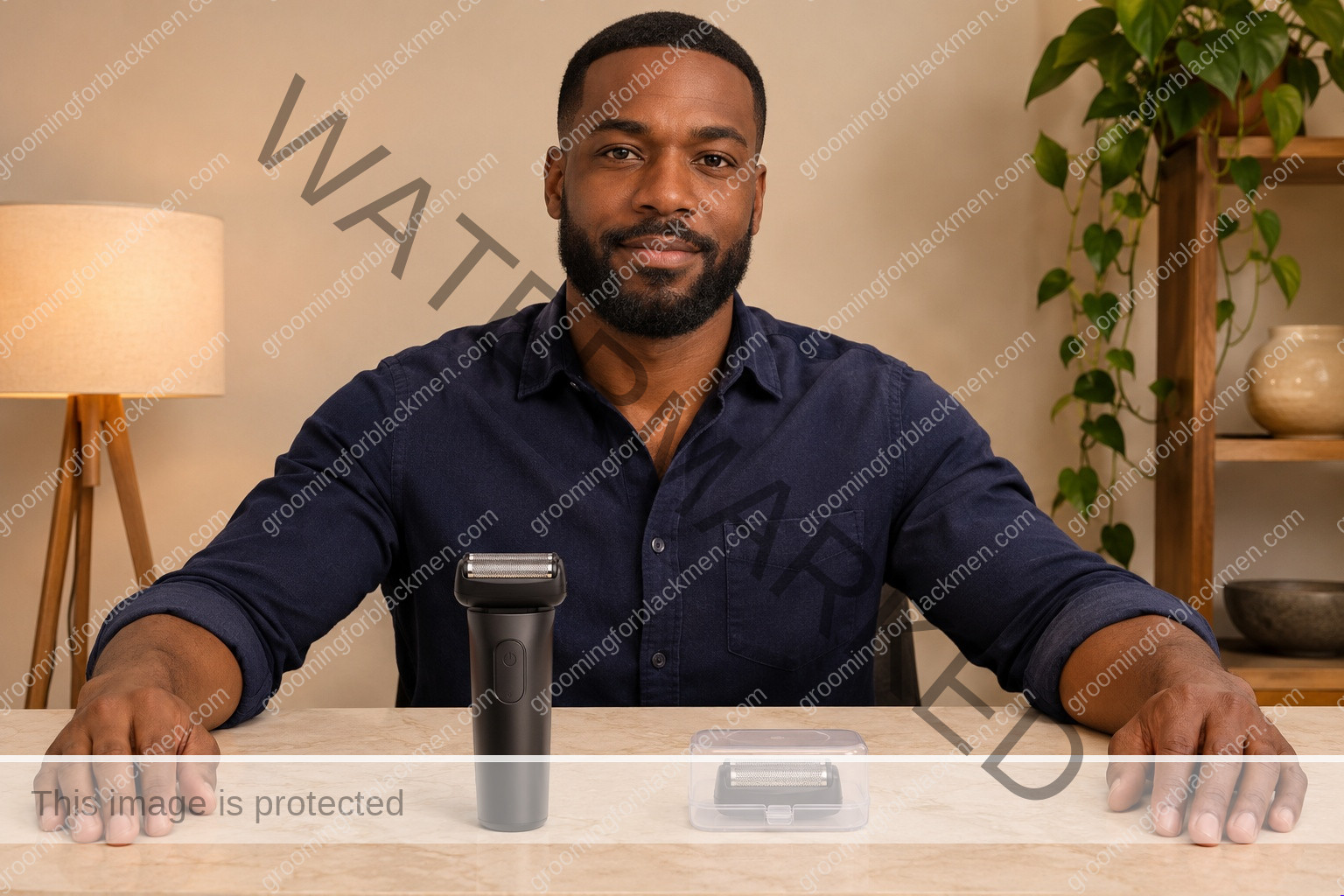
Sources checked November 20, 2026. Educational ownership guidance; no hands-on product testing or medical review claimed. Images are AI-generated editorial illustrations, not product identification photographs or evidence of part compatibility.